Health Mirror
Support
Using Health Mirror
Using Health Mirror
With the Health Mirror app, you take a picture of your tongue to become more aware of your current health balance. If something is not working as expected, we're happy to help.
Membership
Membership & purchases
Membership purchases are handled through the App Store or Google Play.
If your membership does not appear correctly, you can refresh your membership from the Membership screen in Health Mirror.
Your Information
Privacy & your data
Health Mirror gives you controls for managing information stored on your device.
You can clear your saved journey without removing your profile and consent record, or start fresh to remove your saved reflections, associated locally stored images, profile information, and consent record and return Health Mirror to onboarding.
Read our Privacy PolicyContact
Contact us
For questions, feedback, or support:
inquiries@tcmhealthmirror.comHealth & Safety
Health questions
Health Mirror is designed for wellness and education. It is not a medical device, and its reflections should not replace professional medical advice, diagnosis, or treatment.
If you have concerns about your health, consult a qualified healthcare professional.
FAQ
Frequently asked questions
How do I take a good scan?
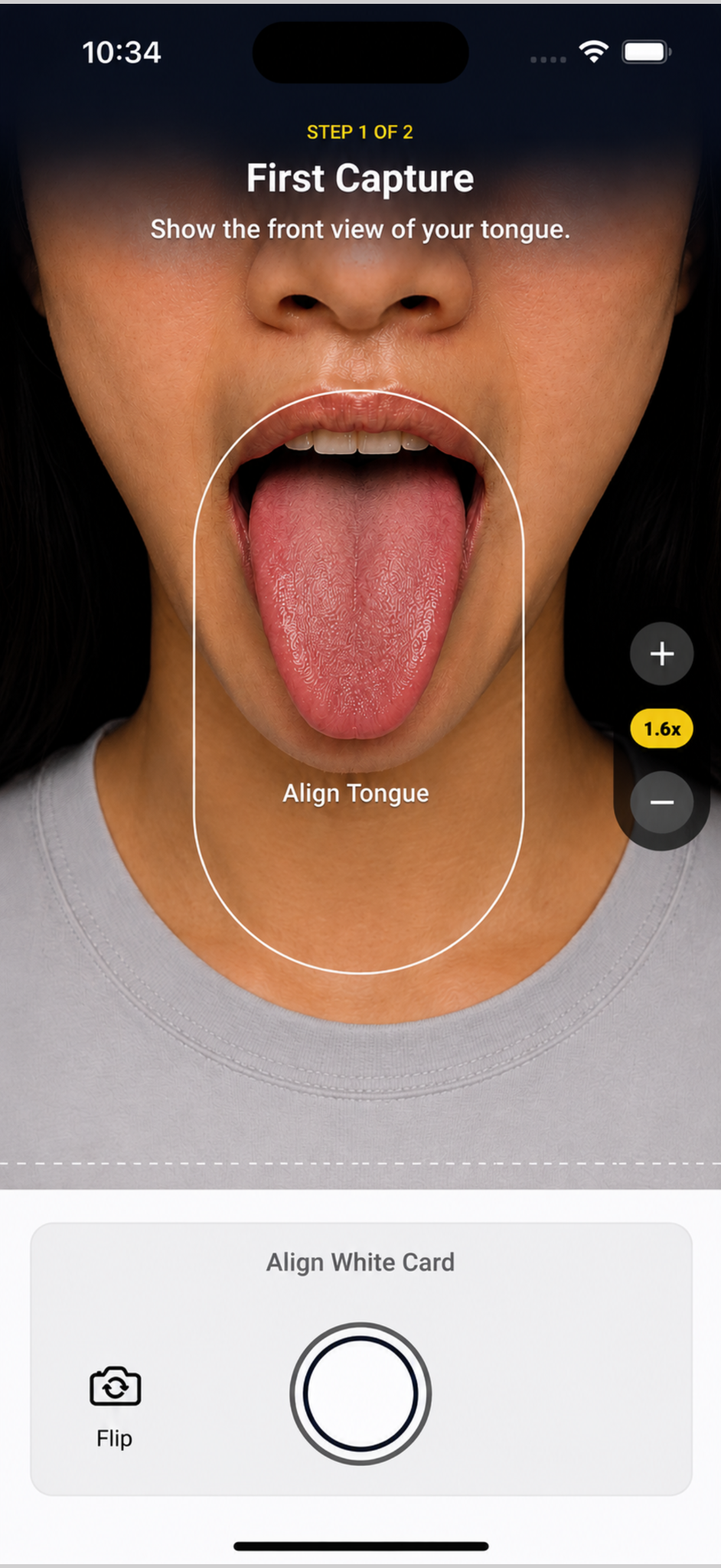
Position your tongue inside the tongue guide shown on the camera screen. Keep your tongue comfortably extended and facing the camera, and try to use even, natural-looking light.
On taller devices where the white card guide is available, you can use a white sheet of paper as a visual reference. Position the paper so that it covers the white card guide area. Health Mirror uses it to help make color more consistent across different devices and lighting conditions.
The white card is optional. Health Mirror can process a scan without it. On compact phones, the white card guide may not appear so that more of the screen can be used for tongue capture.
Why doesn't Health Mirror require an account?
Health Mirror is designed to work without a username or password. Your profile, saved journey, and associated information are stored locally on your device, so you don't need a Health Mirror account to use the app.
You remain in control of that locally stored information. From Home, select Profile in the footer to clear your saved journey or start fresh.
How does Health Mirror recognize my Founding Membership?
Your Founding Membership is verified through the App Store or Google Play rather than through a Health Mirror account.
Health Mirror checks the membership information provided by the store and uses it to determine your membership access. This means you don't need to create a separate Health Mirror account for your membership.
If your membership does not appear as expected, from Home, select Profile in the footer, then Membership → Refresh membership. The store remains the source of your purchase entitlement.